

Wintzer Login
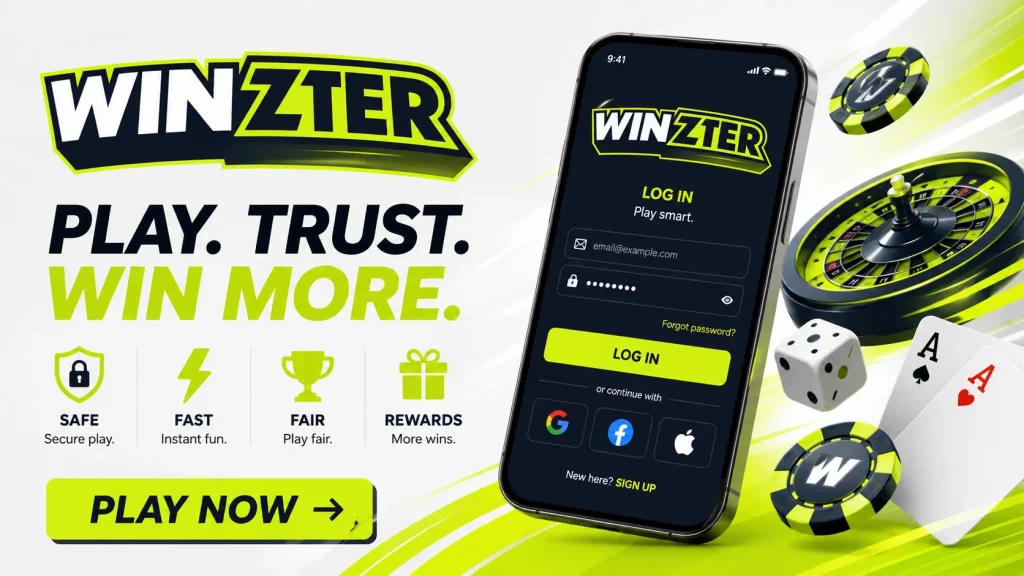
Accessing your account should be simple, secure and clear. On this page, we explain how the Wintzer login process works, what to do if something goes wrong, and how we help protect your details when you sign in. Whether you are returning to check your balance, manage limits, view your account history or contact support, the safest way to log in is always through our official site. Gambling is for entertainment only and involves risk, so we also make responsible gaming tools available once you are inside your account. Wintzer is for adults aged 18+ in the UK.
How to log in to your Wintzer account
To use the Wintzer login area, open our official website directly in your browser and select the sign-in option. Enter the email address or username connected to your account, then type your password exactly as you created it. Passwords are case-sensitive, so check capital letters, spacing and keyboard settings before trying again. If you are using a private device, your browser may offer to save your details, but we recommend doing this only when you are confident no one else can access that device.
New players should note that registration and login are different steps. Registration creates your account with us, while login gives access to an existing account. If you have not joined yet, choose the registration route instead of trying to sign in. You can also return to the main Wintzer page to navigate to account access safely.
Using Wintzer on mobile and desktop
The Wintzer sign in process is designed to work across common desktop and mobile browsers. On a laptop or desktop computer, the login button is usually visible near the top of the page. On a mobile screen, you may need to open the menu or account icon first. The same account details are used across compatible devices, so you do not need a separate Wintzer mobile login unless we specifically ask for additional security confirmation.
If a page does not load correctly, refresh it, check your internet connection and make sure your browser is up to date. Avoid logging in through links in unsolicited messages, social media comments or search results that look unusual. For account safety, type our official domain into your browser or use a trusted bookmark. This reduces the risk of landing on a copycat page built to steal login details.
Common Wintzer login problems and fixes
If your Wintzer login attempt fails, the cause is often straightforward. A mistyped password, outdated saved details, unfinished verification or a temporary browser issue can all block access. Try the practical checks below before contacting support. If we detect repeated failed attempts or unusual activity, we may restrict access temporarily to protect your account. This can feel inconvenient, but it helps reduce the risk of unauthorised use.
| Issue | What to try |
|---|---|
| Forgotten password | Use the password reset option and follow the instructions sent to your registered email. |
| Username or email not recognised | Check spelling, old email addresses and whether you registered with different details. |
| Account locked | Wait for the lock period or contact support if you believe access was restricted incorrectly. |
| Page not loading | Clear cache, try another browser or disable extensions that may block scripts. |
Forgotten password, username or email access
If you forget your password, use the reset link on the Wintzer account login page. We will ask for the email address connected to your account and send instructions if the details match our records. For security, reset links may expire, so complete the process promptly and avoid forwarding the email to anyone else. Choose a new password that you do not use on other websites.
If you cannot remember which email you used, check your inboxes for previous account messages from us. If you no longer have access to the registered email, our support team may need to verify your identity before helping you update account details. We will not ask you to share your full password. If anyone claiming to represent us requests it, treat that as suspicious and contact us through the official site.
Verification and why we ask for documents
Sometimes the Wintzer login journey includes verification checks. These checks are part of our responsibility to keep accounts safe, prevent underage gambling, reduce fraud and meet regulatory expectations. We may ask you to confirm personal details or provide documents such as proof of identity, proof of address or evidence connected to a payment method. The exact request depends on the account and the checks required at the time.
Please make sure any document you upload is clear, valid and matches the details on your account. Blurry images, cropped documents or mismatched information can delay review. We understand that verification can feel like an extra step, but it protects both you and the platform. It also helps us make sure gambling remains restricted to eligible adults. In the UK, our services are intended only for people aged 18 or over.
Keeping your Wintzer sign in secure
Account security starts with strong personal habits. Use a unique password with a mix of letters, numbers and symbols, and avoid obvious details such as birthdays or names. If two-factor authentication or extra sign-in checks are available on your account, we encourage you to use them. These measures can help prevent someone else from accessing your balance, personal information or gaming history.
Be alert to phishing. We will never ask for your full password by email, phone, chat or social media. Messages that create urgency, promise special outcomes or ask you to “confirm” details through an unfamiliar link should be treated carefully. Always reach the Wintzer login page through our official domain rather than a link from an unknown sender. If you suspect your account has been accessed without permission, change your password immediately and contact support.
What you can manage after signing in
Once you log in to your account with us, you can access the tools and information linked to your player profile. This may include your available balance, transaction history, account details, bonuses where applicable, game history and support messages. You can also review your communication preferences and update certain personal details, subject to verification rules. We recommend checking account activity regularly so you can spot anything unfamiliar quickly.
Your Wintzer account also gives you access to safer gambling controls. These tools are not hidden away; they are part of responsible account management. You can set deposit limits, use reality checks, take time-outs or request self-exclusion where available. Gambling should never be treated as a way to earn income or solve financial problems. If play stops feeling controlled or enjoyable, we encourage you to pause and use the support options available.
Data protection and responsible account access
When you use the Wintzer login, we handle your personal information with security and privacy in mind. We use technical and organisational measures designed to protect account data, payment information and verification records. No online system can be described as risk-free, so we combine our safeguards with clear guidance for players: use secure devices, keep passwords private, avoid public Wi-Fi for account activity and sign out when using a shared computer.
We also ask that you keep your registered details accurate. Correct information helps with verification, withdrawals, account recovery and responsible gaming protections. If your name, address, phone number or email changes, update the information through your account or contact support if the change requires review. Our aim is to make account access reliable without compromising safety. A secure sign-in process protects your experience and helps us maintain a fair environment for adult players.